Custom Roles
This page was machine-translated. The Japanese page is the official version.
Custom roles are created by users. You can attach up to 100 policies to a custom role and configure its permissions as needed.
Create a custom role
- On the
Access Managementpage, open the Roles tab and clickAdd Role.
- Enter a role name, select the policies to attach, and click
Save.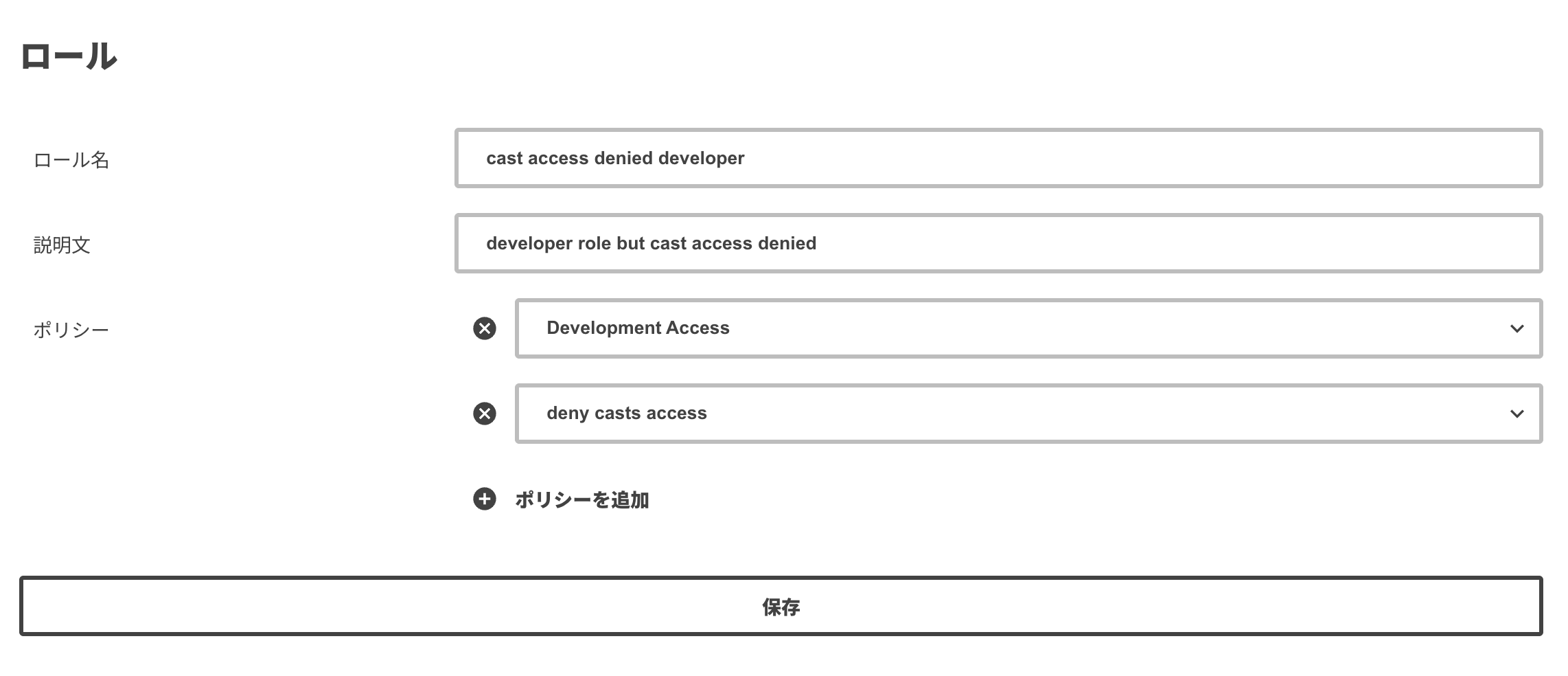
- The new role appears in the role list.
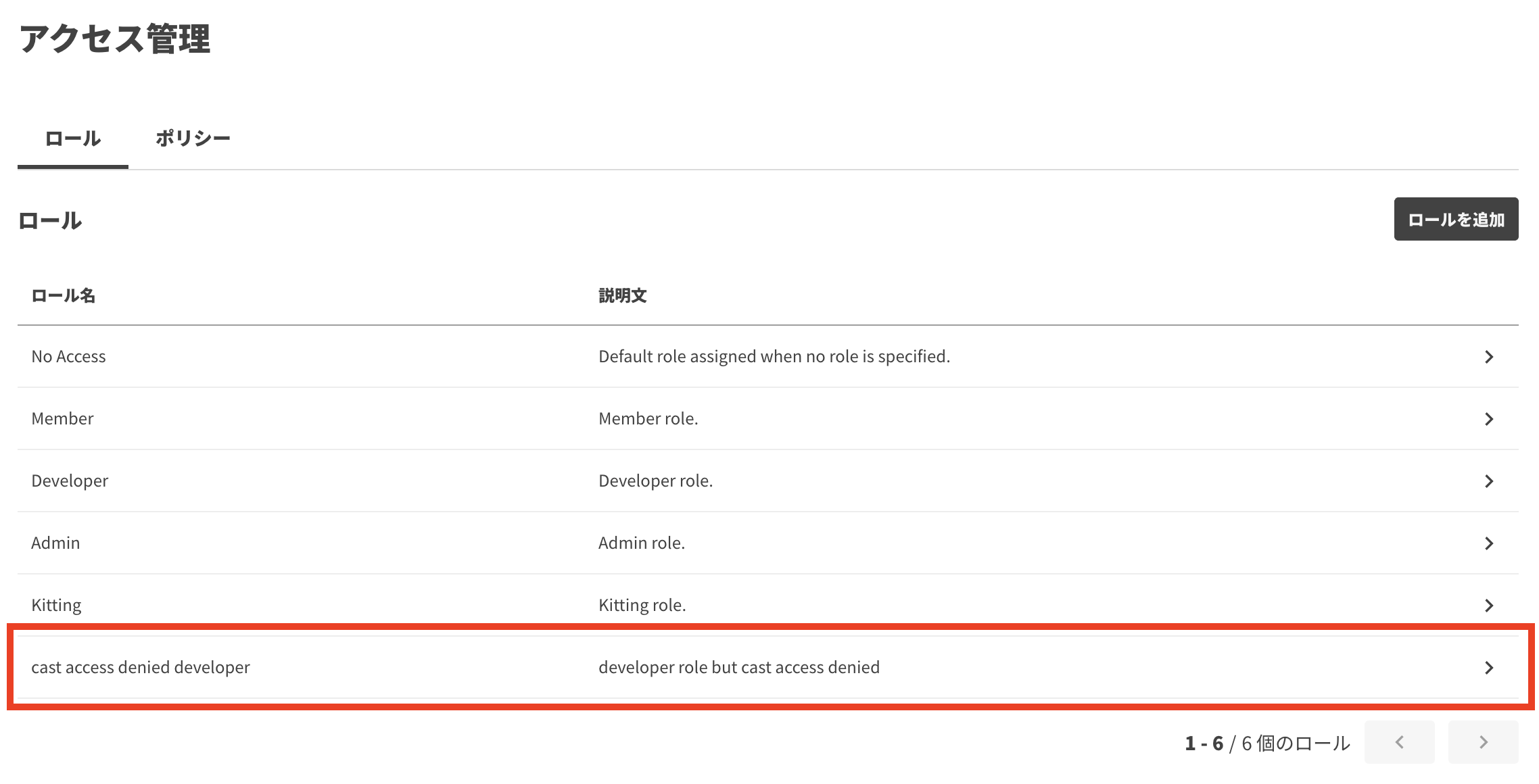
Example
Create a role without the app creation and deletion permissions of the Developer role
You do not need to create a custom policy from scratch. Create a custom role with the managed Development Access policy and a custom policy that denies app creation and deletion.
- Create a custom policy that denies app creation and deletion.
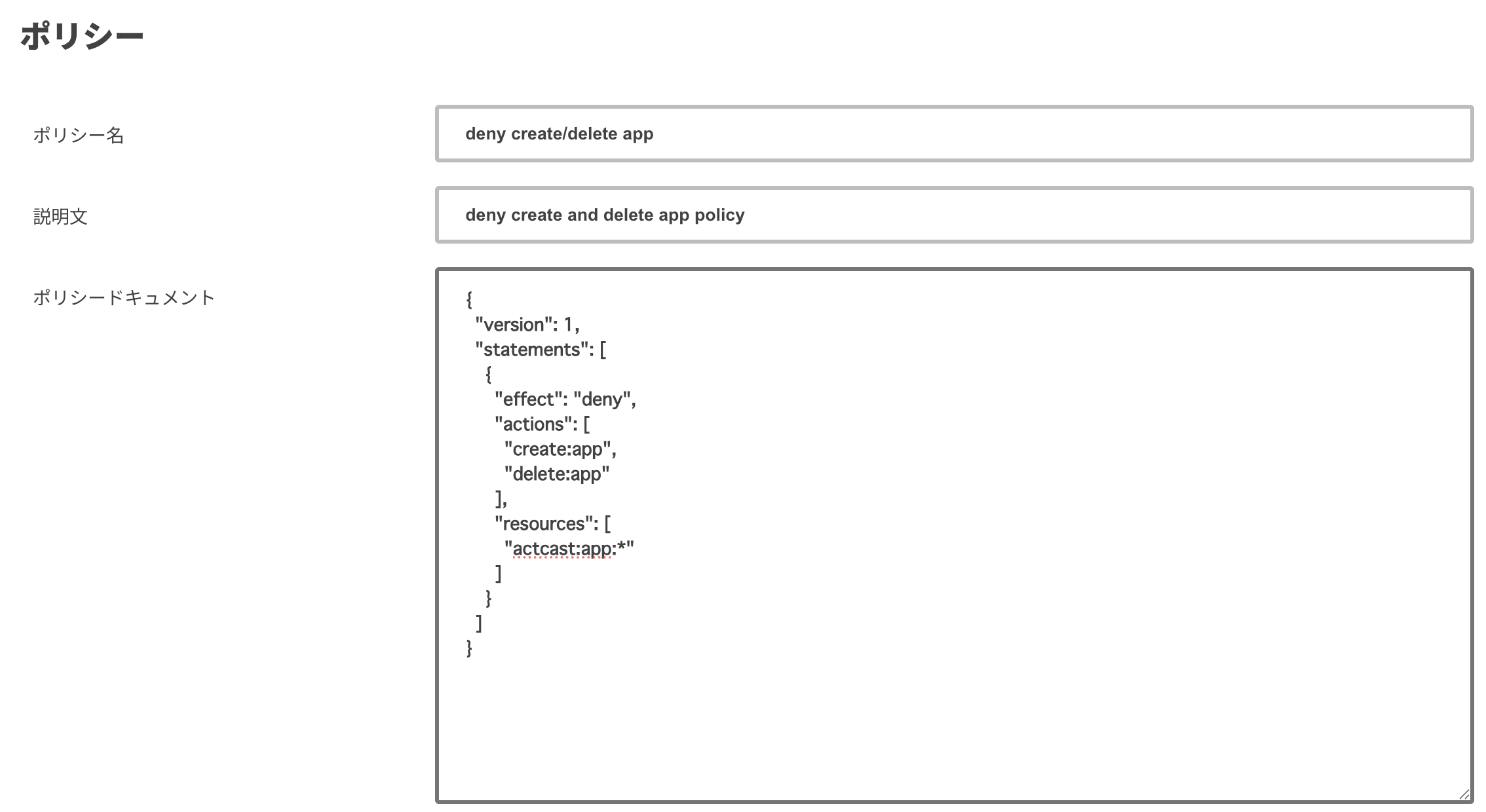
- Create a custom role and attach both the managed
Development Accesspolicy and the custom policy you just created.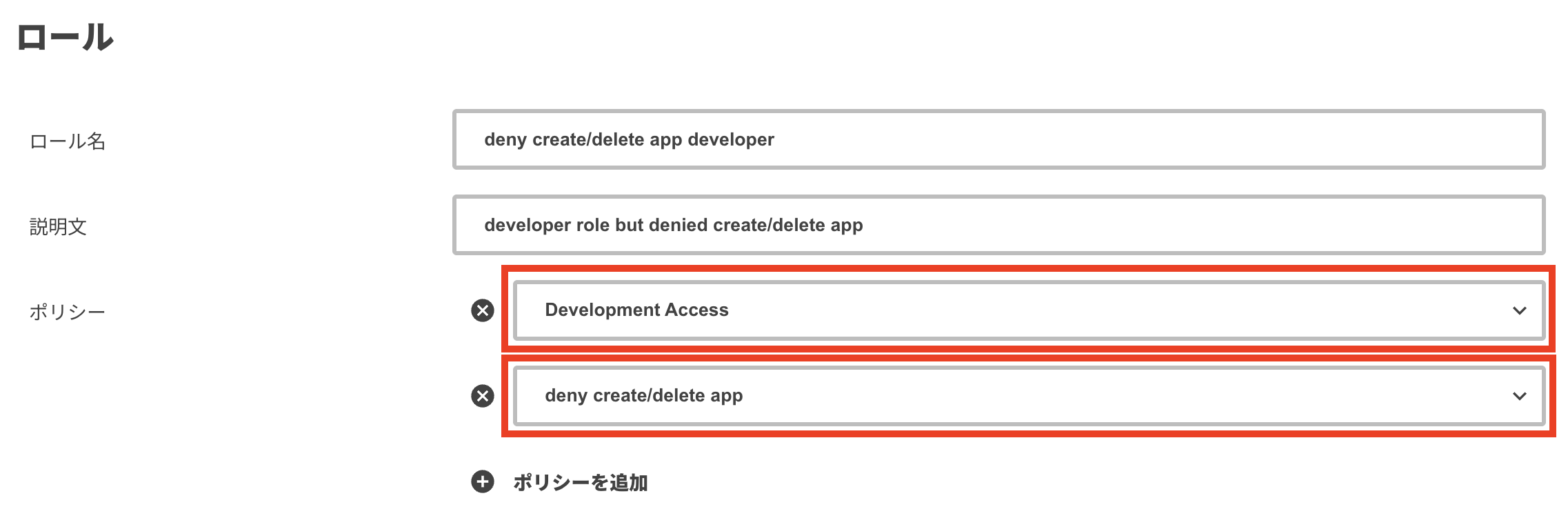
Last updated on