EventLog
This page was machine-translated. The Japanese page is the official version.
Events that occur on a device and are handled by Actcast are recorded as event logs.
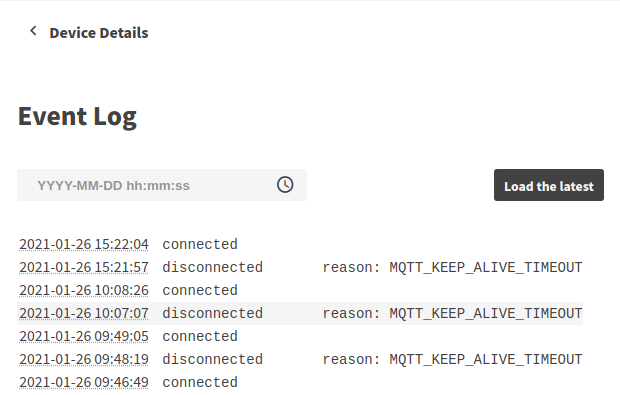
See Event type for the details of each event and the conditions under which they occur.
Check EventLog
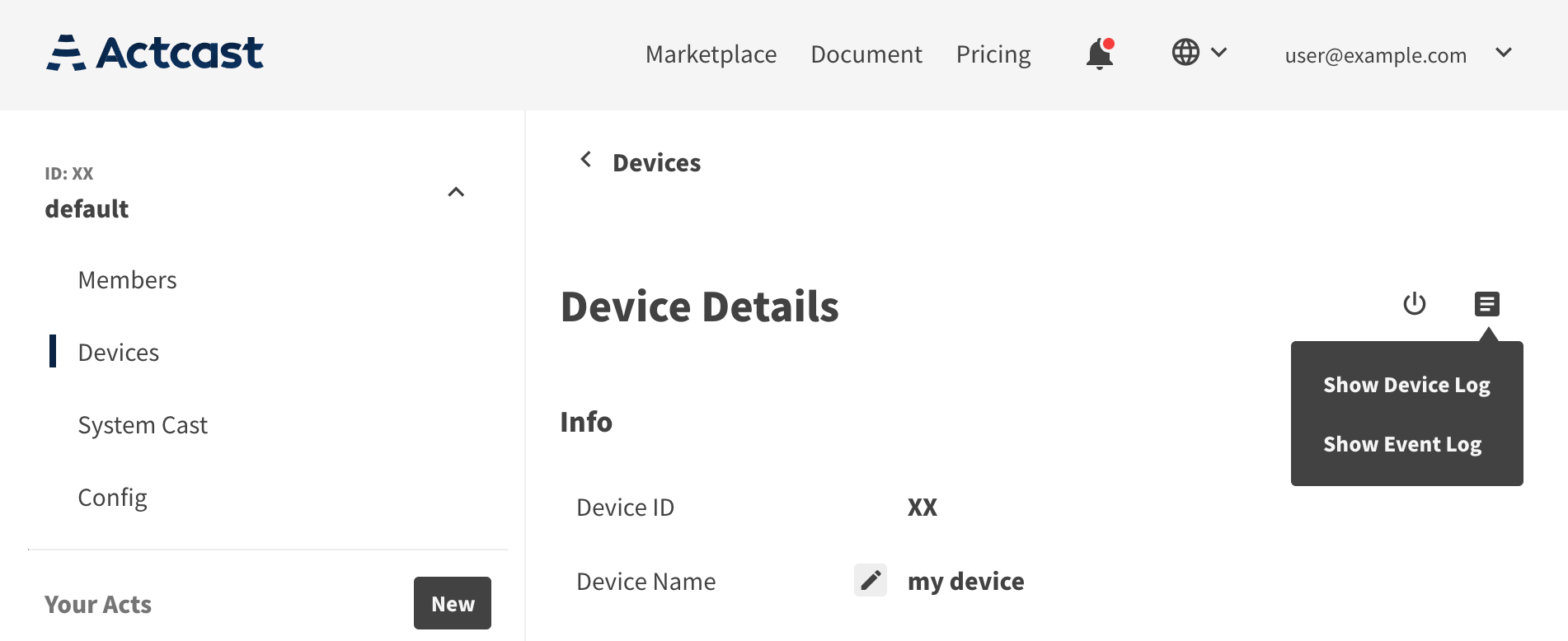
To view the EventLog, go to the devices page in a group, go to the each device detail page, and select (Show Event Log) from the icon in the upper right corner.
The logs are helpful for determining that the device is working properly.
If the device goes offline and fails to send logs, the logs are not recorded on Actcast.
Event type
There are the following types of events, each of which occurs when the conditions for their occurrence are met.
| Event type | Occurrence Conditions | Additional Item |
|---|---|---|
| connected | The device connects to Actcast | |
| disconnected | The device disconnects from Actcast | reason |
| agent_started | The device agent starts | |
| os_rebooting | The device OS reboots | |
| os_shutdowning | The device OS shuts down | |
| act_started | The device starts an Act | |
| act_stopped | The device stops an Act | reason |
| act_install_error | The Act installation failed | act_id, should_retry |
| firmware_updating | The device has started updating its firmware | |
| firmware_updated | Firmware update is completed |
Additional Item is the name of the additional data that accompanies each event.
act_stopped
act_stopped event occurs when an Act stops normally.
| Item | Descriptions |
|---|---|
| reason | The reason the Act stopped. |
-
reason
This item contains the stop reason if the Act passed one via StopAct. If the Act passed a shutdown reason via ShutdownDevice, that reason is recorded as the stop reason as well.
This item is absent in the following cases.
- No reason was passed (including when an empty string was passed)
- The Act was stopped by something other than StopAct or ShutdownDevice (such as replacing or uninstalling the Act)
- The firmware version is earlier than 3.87.0 on OS3 or earlier than 4.39.0 on OS4
The stop reason is at most 1024 characters. Anything beyond that is truncated.
act_install_error
act_install_error event occurs when an Act installation fails for some reason.
| Item | Descriptions |
|---|---|
| act_id | ID of the Act that failed to install. |
| should_retry | Whether it is automatically retried or not. |
-
should_retry
This item indicates whether the failed Act installation is the type of error that should be retried automatically.
If
true, the device agent will retry the Act installation after an appropriate interval.If
false, it indicates that the problem will likely not be resolved after retrying (i.e., after some time has passed). Therefore, the Act installation will not be retried automatically. Please check the device (board, camera, micro SD card, etc.) and retry the installation.