Local Video Server
This page was machine-translated. The Japanese page is the official version.
Local Video Server starts an HTTP server on the device so that other devices on the same network can view a live video stream.
It is useful for adjusting the camera angle during installation and checking device operation.
See the sample application.
Notes
- The stream is accessible only from devices on the same network. It cannot be accessed over the Internet.
actfw-coreversion 2.10.0 or later is required.- Streaming video consumes significant computing resources. We recommend making it possible to enable or disable the feature in the Act settings, and enabling it only when needed. The example below uses the
local_video_serversetting.
Usage
-
Enable
mDNS settingson the Device Details page. This feature requires firmware version 3.2.0 or later.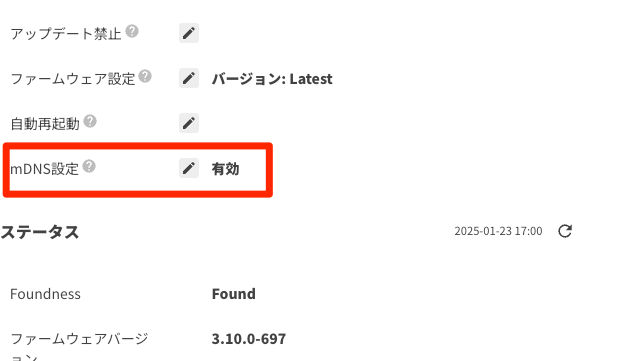
-
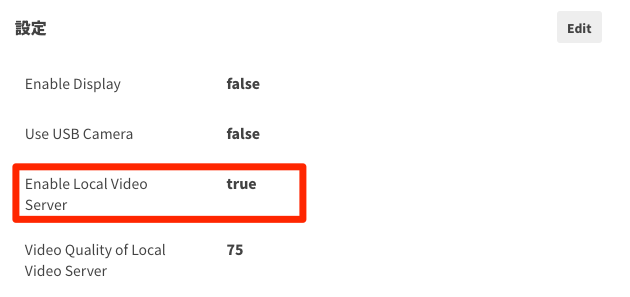
Enable Local Video Server in the Act settings.
-
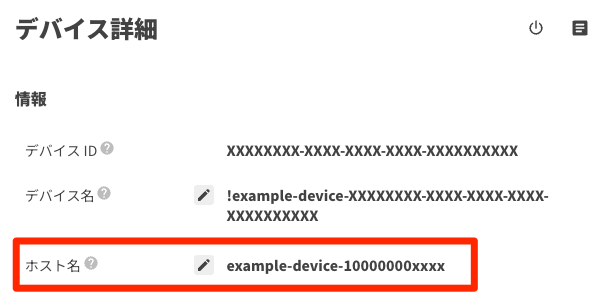
Check the device hostname.
-
From a browser on the same network as the device, open:
http://<hostname>.local:5100For example:
http://example-device-100000000xxxx.local:5100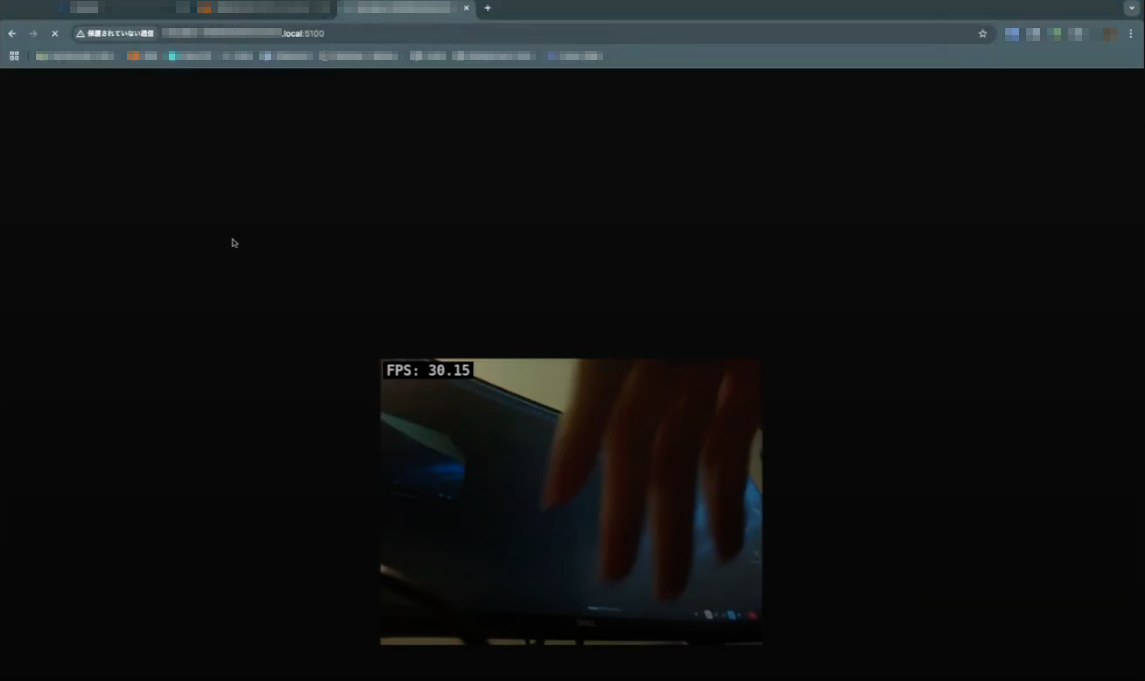
Implementation
-
Update
dependencies.jsonto useactfw-coreversion2.10.0or later:{ "pip": ["actfw-core>=2.10.0"] } -
Add the following settings to the manifesto to expose port
5100outside the device:+ "allow_all_networks": true, + "published_ports": [ + { + "container_port": 5100, + "host_port": 5100, + "protocol": "tcp" + } + ] -
Add an Act setting to enable or disable Local Video Server:
+ "local_video_server": { + "title": "Enable Local Video Server", + "description": "Enable Local Video Server", + "type": "boolean", + "default": false + }, -
Add Local Video Server to the main application. It works similarly to the
CommandServerused for Take Photo:# CommandServer (for `Take Photo` command) cmd = actfw_core.CommandServer() app.register_task(cmd) + # LocalVideoServer + local_video_server = None + if settings["local_video_server"]: + local_video_server = actfw_core.LocalVideoServer() + app.register_task(local_video_server)# Presentation task - pres = Presenter(preview_window, cmd) + pres = Presenter(preview_window, cmd, local_video_server)class Presenter(Consumer): - def __init__(self, preview_window, cmd): + def __init__(self, preview_window, cmd, local_video_server): super(Presenter, self).__init__() self.preview_window = preview_window self.cmd = cmd + self.local_video_server = local_video_serverdef proc(self, rgb_image): self.cmd.update_image(rgb_image) # update `Take Photo` image + if self.local_video_server is not None: + self.local_video_server.update_image(rgb_image)