Integrate Cast with AWS Lambda
This page was machine-translated. The Japanese page is the official version.
AWS (Amazon Web Services) is a cloud computing platform provided by Amazon. AWS Lambda runs code without requiring you to provision or manage servers. Combined with Actcast Cast, it can process Act Logs and call other AWS resources.
See the AWS Lambda pricing page for costs.
Integration
You need an AWS account. Create a Lambda function to run when Cast sends a request.
Configure AWS Lambda
-
In the AWS console, select Lambda > Functions > Create function. This example uses Python 3.10.
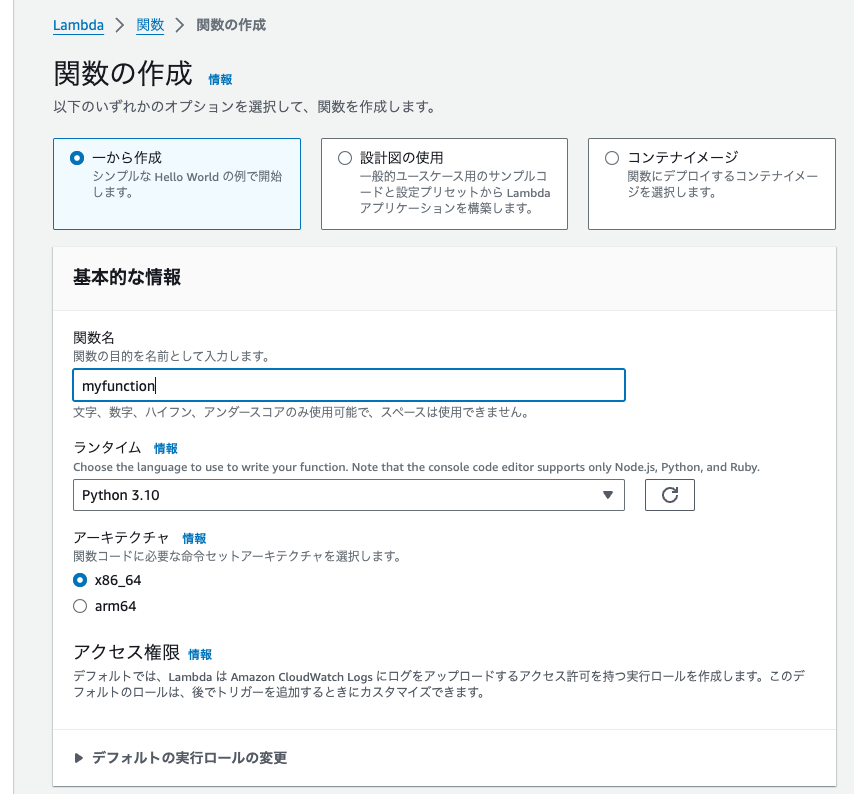
-
Edit the function code. This example returns a greeting using the name in the request:
import json def lambda_handler(body, context): name = body.get("name", "World") return {"statusCode": 200, "body": json.dumps(f"Hello {name}!")} -
In Configuration > Function URL, click Create function URL and create a URL. This example uses no authentication, making the function publicly accessible.
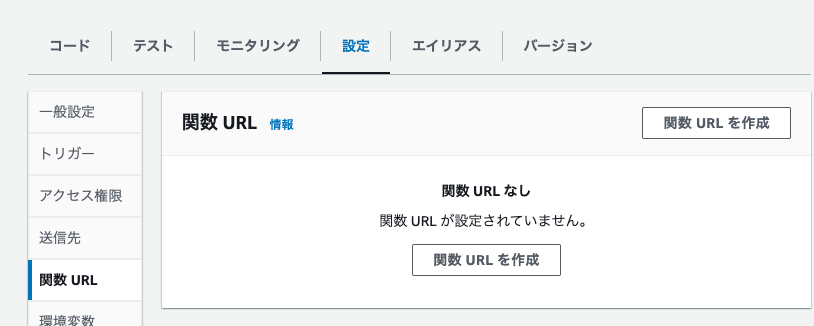
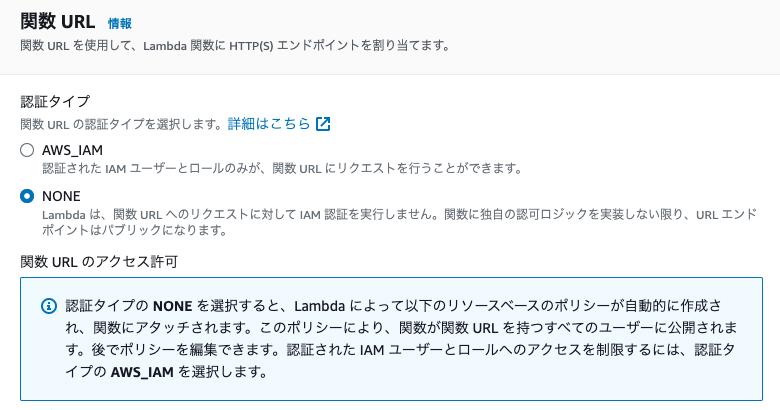
Copy the generated function URL.
Configure Cast
-
Sign in to Actcast, select Casts under the application you want, and click Make New Cast.
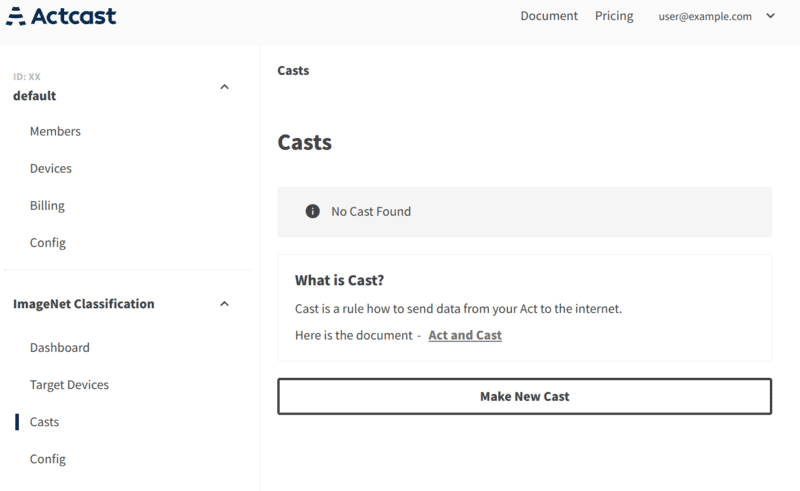
-
Configure the trigger. To send all data without a condition, leave the trigger empty and click Configure Action.
-
Select Webhook.
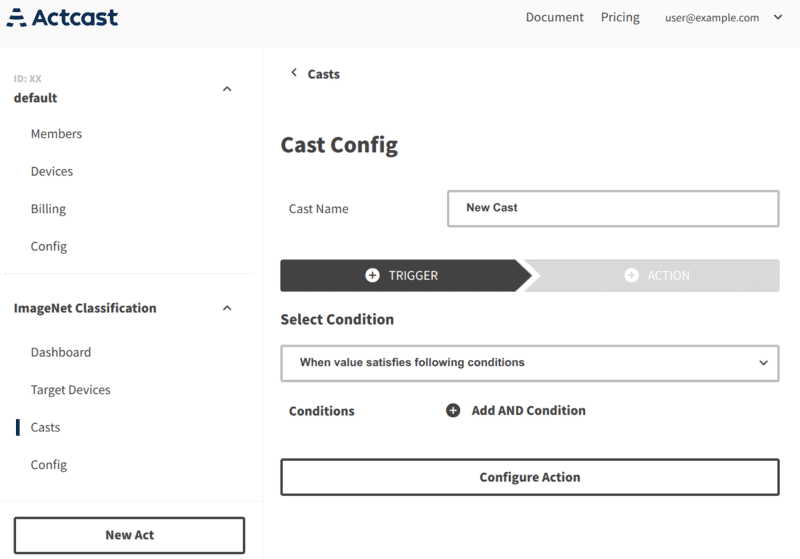
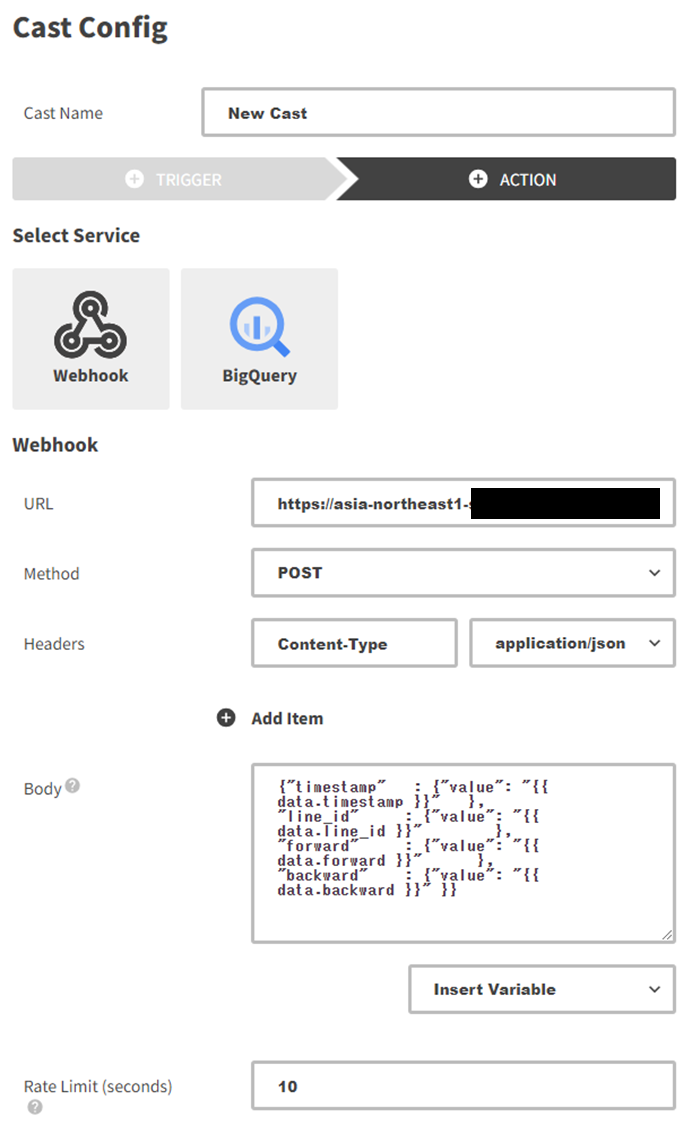
-
Enter the function endpoint in URL. Configure Method, Headers, and Body to match the function implementation.
-
Click Finish to create the Cast.
For more details about Cast, see Cast.
Rate limits
Webhook Casts have a rate limit that sets the maximum number of requests sent to the target service during a given period. If devices produce more Act Logs than the limit allows, Actcast discards the excess without sending requests. See Webhook Cast rate limits.
Disclaimer
Actcast provides a feature for integrating with third-party services such as AWS Lambda, but does not guarantee that the integration will continue to work. Idein makes no warranties about third-party services’ accuracy, reliability, completeness, usefulness, or security. Check the provider’s official site for current specifications and terms. You are responsible for using third-party services and for any resulting damages. Contact Idein for Actcast integration questions; for questions about AWS itself, contact AWS support.