Release an application
This page was machine-translated. The Japanese page is the official version.
To start the publish process, perform the following operations on the Actcast Web UI.
The uploaded application will be online-compiled and labeled a revision, which we call an artifact.
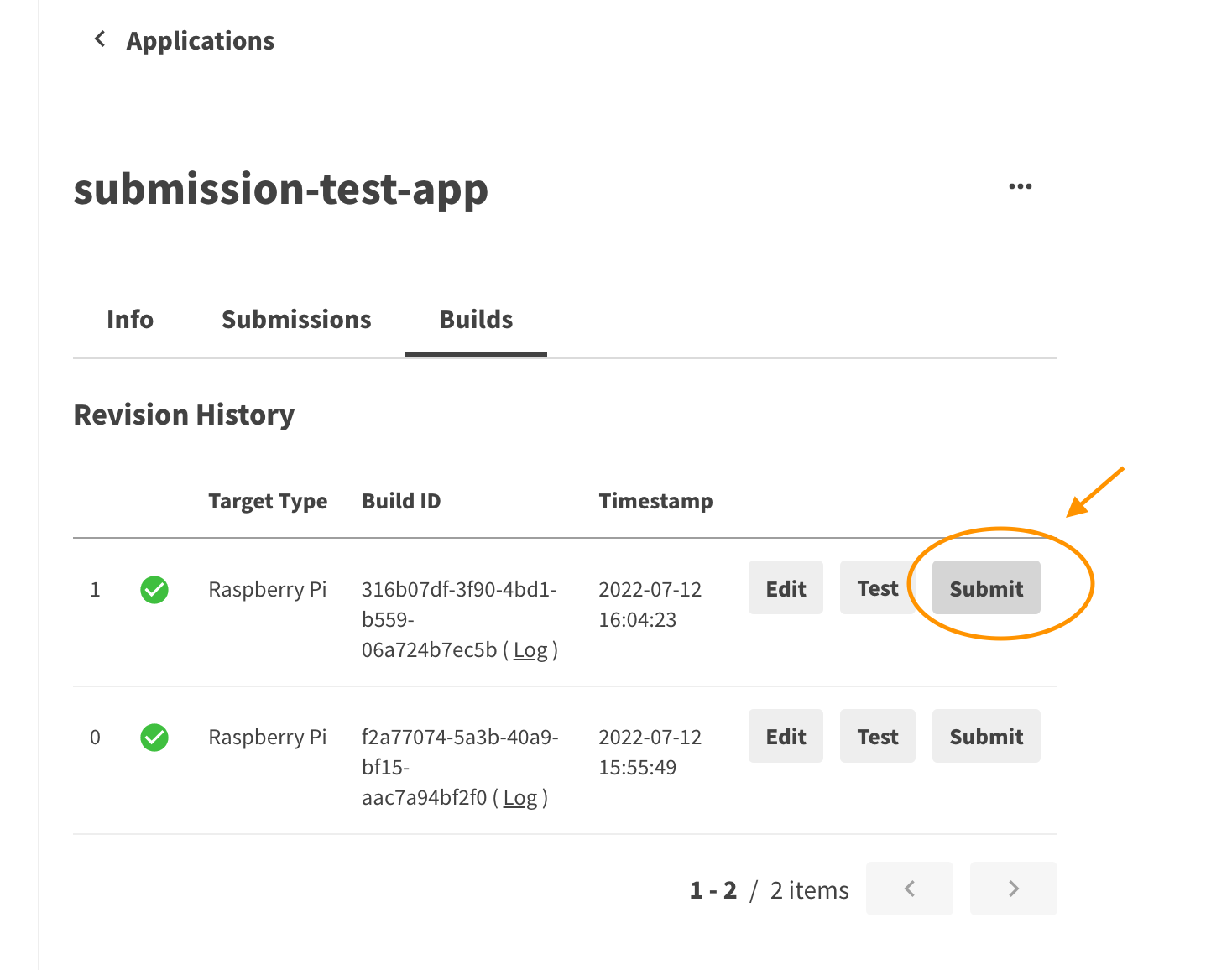
First, open the build list tab of your application page and press the Submit button of the artifact you wish to publish.
Then, fill in the Release Name and Change Log and confirm your submission.
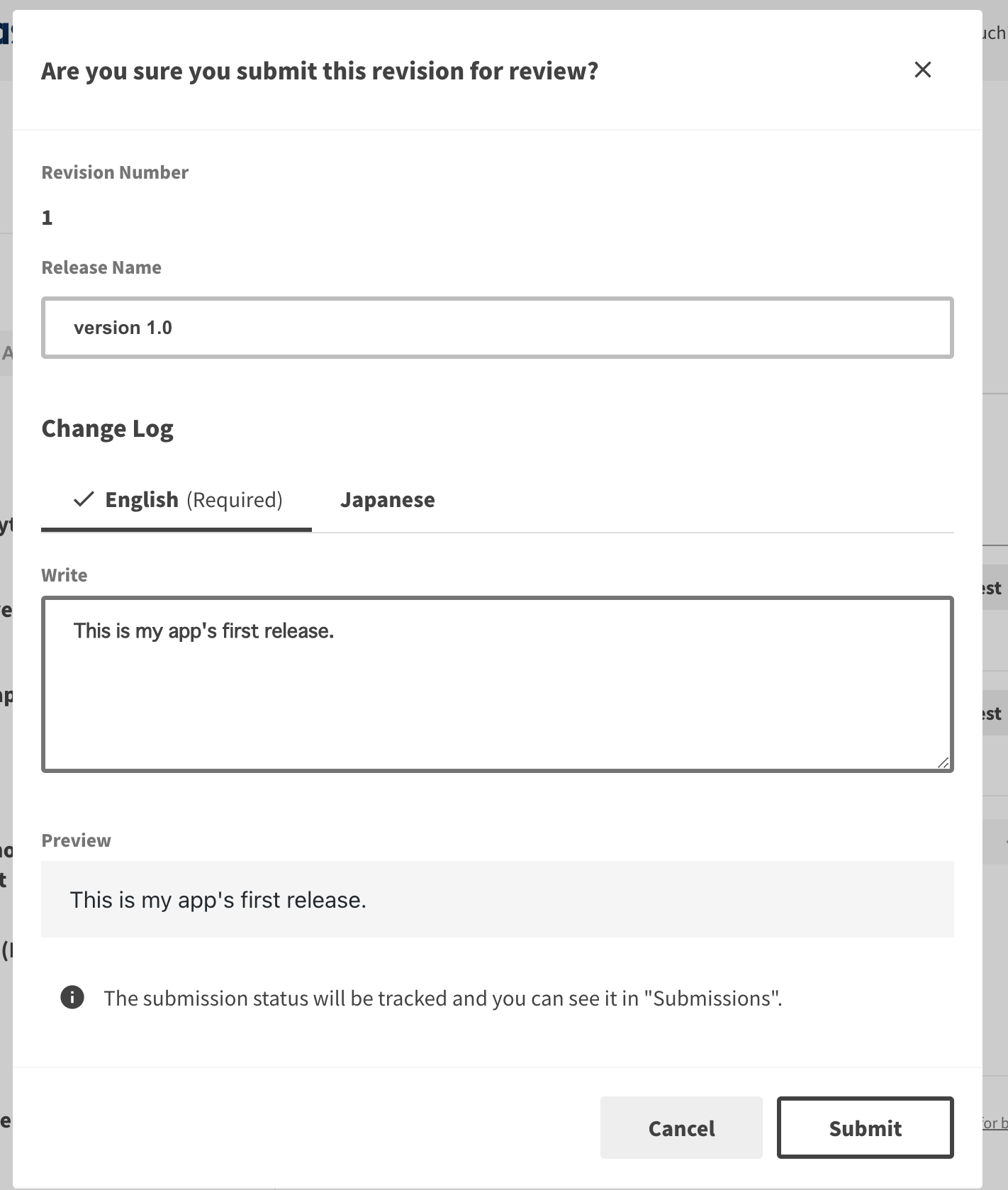
You can Submit the artifact and the application will be released.
Previous: Upload to Actcast
Last updated on