EventLog
Events that occur associated with a device and handle by Actcast are called events,
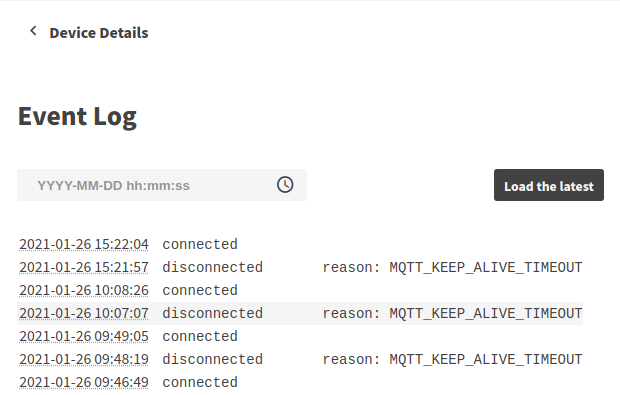
See Event type for the details of each event and the conditions under which they occur.
Check EventLog
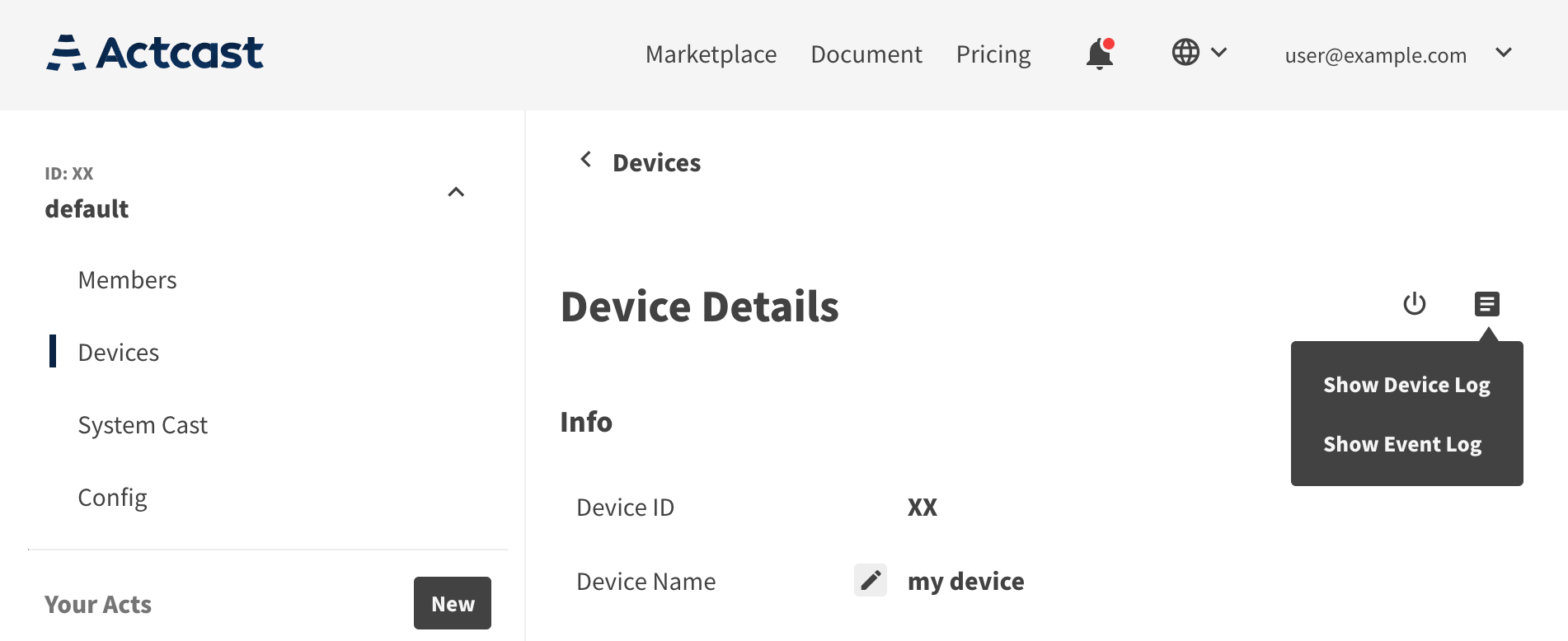
To view the EventLog, go to the devices page in a group, go to the each device detail page, and select (Show Event Log) from the icon in the upper right corner.
The logs are helpful determining that the device is working properly.
If the device goes offline and fails to send logs, the logs are not recorded on Actcast.
Event type
There are the following types of events, each of which occurs when the conditions for their occurrence are met.
| Event type | Occurrence Conditions | Additional Item |
|---|---|---|
| connected | The device connects to Actcast | |
| disconnected | The device disconnects from Actcast | reason |
| agent_started | The device agent starts | |
| os_rebooting | The device OS reboots | |
| os_shutdowning | The device OS shuts down | |
| act_started | The device starts an Act | |
| act_stopped | The device stops an Act | |
| act_install_error | The Act installation failed | act_id, should_retry |
| firmware_updating | The device has started updating it’s firmware | |
| firmware_updated | Firmware update is completed |
Additional Item is the name of the additional data that accompanies each event.
act_install_error
act_install_error event occurs when an Act installation fails for some reason.
| Item | Descriptions |
|---|---|
| act_id | ID of the Act that failed to install. |
| should_retry | Whether it is autocatically retried or not. |
-
should_retry
This item indicates whether the failed Act installation is the type of error that should be retried automatically.
If
true, the device agent will retry the Act installation after an appropriate interval.If
false, it indicates that the problem will likely not be resolved after retring(i.e., after some time has passed). Therefore, the Act installation will not be retried automatically. Please check the device (board, camera, micro SD card, etc.) and retry the installation.